

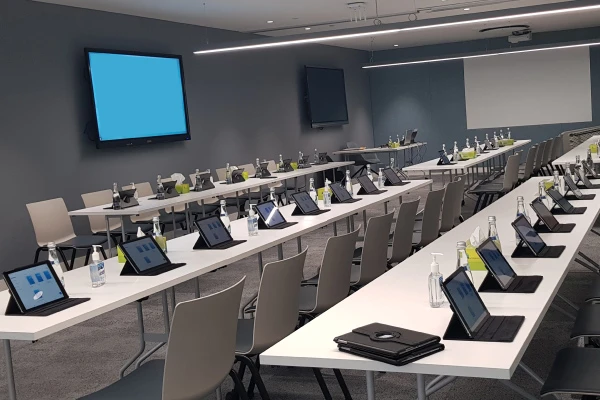
When hiring iPads for London events, check five things: how many devices you need and the job each one does, which model and storage suit the task, how the software will be set up, what stands and chargers are required, and when the supplier will deliver, support and collect. Settle these early and the iPads arrive ready to use. Leave them late, and you end up fixing logins while guests queue at the door.
Most event teams treat tablets as an afterthought, then scramble in the final week. Planning ahead makes iPad hire in London far easier, because the supplier can match the devices to your brief instead of guessing.
What Should You Check When Hiring iPads for an Event?
Check how many iPads you need and what each will do, which model and storage suit the job, how the software will be locked down, which stands and chargers are required, and when the supplier can deliver, support and collect. Having these answers before you ask for availability helps the supplier recommend the right setup and avoids last-minute swaps.
1. Count your devices by job, such as check-in, lead capture, feedback or signage.
2. Pick the model and storage that suit your app or content.
3. Decide how the iPads will connect, through venue Wi-Fi or cellular data.
4. Choose stands, cases and charging for the way guests will use them.
5. Agree the setup, including kiosk mode and preloaded apps.
6. Confirm delivery, event-day support and collection times.
What Does iPad Hire Mean?
iPad hire is a short-term arrangement where a supplier provides Apple iPads, set up and ready to use, for the length of your event, then takes them back afterwards. You may see it listed as iPad rental London, but the idea is the same: you borrow the hardware rather than buy it, and the supplier looks after the technical side.
Decide What Each iPad Will Do
Start with the job each device has to do, because that drives almost every other choice. A check-in iPad needs to be quick and sit at the right height. A feedback iPad has to survive hundreds of taps from strangers. A presenter’s iPad needs a steady connection and a battery that lasts the session.
| Use | Typical setup | Main concern |
| Guest check-in | Stand, kiosk mode, list or QR scanning | Speed and queue flow |
| Lead capture | Form app on a stand or tabletop | Data accuracy and privacy |
| Feedback and polls | Single-app lock on a tabletop stand | Durability and simple screens |
| Digital signage or menus | Wall mount or floor stand | Continuous power |
| Presenter use | Handheld with an adapter or clicker | Connection and battery |
Choose a Supplier That Prepares the Devices
Suppliers such as Tablethire usually configure, test and label every device before delivery, which saves your team from fiddling with settings on the day. That preparation is worth asking about, because a box of untested iPads is only half a service.
Ask what happens when something fails. A decent supplier keeps spare devices ready, gives you a phone line during the event and, for larger shows, can place a technician on site. Get these details in writing rather than assuming them.
Get the Practical Details Right
1.Model and Storage
Standard iPads handle most event tasks. Choose a larger screen or a Pro model only when you need detailed visuals, drawing or heavier apps. Storage matters if you are running video or offline content, because a nearly full device slows down at the worst moment.
2. Software and Kiosk Mode
Kiosk mode locks an iPad to a single app so guests cannot wander into settings or the web. It is usually done with Apple’s Guided Access or a device management tool. Ask the supplier to preload your apps, sign in the accounts and test the whole flow before the iPads leave their warehouse.
3. Wi-Fi and Connectivity
London venues can be hard on Wi-Fi. Exhibition halls with thousands of phones on the network often slow down just when registration opens. Where your app needs live data, consider cellular iPads or a dedicated network, and check whether the app can store data offline and sync later.
| Factor | Wi-Fi only | Wi-Fi and cellular |
| Best for | Venues with a strong dedicated network | Busy halls, outdoor and pop-up spaces |
| Main risk | Congestion at peak times | Depends on mobile signal |
| Backup option | Offline mode in the app | Switch to mobile data |
4. Stands, Cases and Charging
Stands and cases are not extras. A wobbly stand ruins a check-in desk. Ask for lockable mounts if devices will be left unattended, and plan charging with cabled stands or power banks for long days.
Protect Attendee Data
iPad hire for businesses often involves names, emails and contact details, so data protection becomes part of the job. Under UK GDPR you remain responsible for what you collect. Use passcodes, gather only what you need, export your data after the event and ask the supplier to confirm in writing that every device was wiped on return.
Plan the Timing: Delivery, Collection and Support
London adds its own logistics. Venues often limit loading windows and require security passes, and traffic can swallow a morning. When you rent an iPad in London for a conference, share the venue’s loading rules with the supplier and aim for delivery the day before. Most short-term iPad hire London bookings run from a single day to a few weeks, so confirm the collection time as well, especially if your event finishes late.
How to Hire iPads for Your Event, Step by Step
Work through these steps in order and your supplier can recommend the right setup first time.
1. Write down what each iPad will be used for.
2. Share the event dates, venue and expected guest numbers.
3. Confirm the model, storage and connectivity.
4. Send your apps, accounts and content for preloading.
5. Agree stands, cases and charging arrangements.
6. Book delivery, support and collection, then test on arrival.
Common Mistakes to Avoid
• Ordering devices before deciding what they will do.
• Relying on venue Wi-Fi without a backup plan.
• Leaving iPads unlocked so guests can open other apps.
• Forgetting stands and charging until the day before.
• Skipping a full test of the app on the actual devices.
Frequently Asked Questions
1. How far ahead should I book iPads for an event in London?
Two to four weeks is usually enough for smaller events, though busy periods such as exhibition season call for more notice. Earlier booking leaves time for app setup and testing.
2. Can the iPads be preloaded with my app or content?
Yes, most suppliers can install apps, set up accounts and lock devices into kiosk mode. Send your app details and content early so they can test everything.
3. Do I need Wi-Fi at the venue?
Not always. Many apps work offline, and cellular iPads can use mobile data. For live check-in or lead capture a reliable connection is safer, so confirm the venue’s options.
4. What happens if an iPad stops working during the event?
A good supplier keeps spare devices and offers event-day support. Check the agreement for replacement terms and damage cover before you confirm.
5. How many iPads will I need?
As a starting point, plan one check-in iPad for every 100 to 150 guests arriving in the same hour, plus a spare. Add devices for feedback, signage or presenters as needed.
6. Is guest data safe on rented iPads?
It can be, with passcodes, limited data collection and a full wipe after the event. Ask for written confirmation that every device was erased on return.
Final Thoughts
Hiring iPads works best when the planning is a bit boring and the event day is calm. Decide each device’s job, sort out connectivity and security early, and confirm delivery and support in writing. If you want a supplier that handles configuration, delivery and support for London events, Tablethite is a dependable option worth a conversation.