

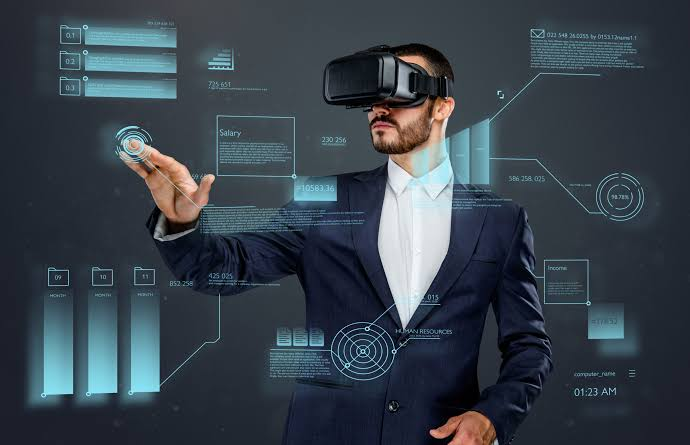
Businesses use virtual reality at trade shows to demonstrate products too large to bring, run training simulations, tour sites and venues, gamify lead capture and tell brand stories in a way a brochure cannot. A good VR stand gives visitors something to do, not just look at, which is why people stop, queue and remember the experience afterwards.
Anyone who has walked a busy show floor knows how quickly stands blur together. A headset stand breaks the pattern, because visitors want to try it and the people watching want a turn. Most exhibitors do not own the kit outright, so virtual reality hire has become the usual way to bring headsets to a show for a few days. Below are eight practical ways to put them to work.
What Can VR Do for a Trade Show Stand?
VR lets you show full-scale products, run interactive demos, offer virtual tours, train or educate visitors and attract footfall with a memorable experience. It works best when each session is short, has one clear message and ends with a conversation or a lead capture step.
What Is VR at a Trade Show?
VR at a trade show means using headsets to place visitors inside a simulated environment, such as a product, a factory or a destination. Standalone headsets need no computer, so a stand can run several at once with a small footprint.
Why VR Works on a Busy Show Floor
Visitors on a show floor are short of time and flooded with messages. VR earns attention because it is participatory. People move, look around and often tell their colleagues to come and try it, which brings footfall to your stand without extra effort.
Sourcing the equipment is the practical question. Many exhibitors turn to a provider such as The Tekk Group for matched headsets, delivered, charged and loaded with the right software, instead of keeping a stock of devices that sit unused between events.
8 Practical Ways to Use VR at a Trade Show
1. Full-Scale Product Walkthroughs
Machinery, vehicles and installations are difficult to transport. A virtual walkthrough lets visitors stand beside the product, look inside it and see how parts fit together.
2. Virtual Showrooms for Large Ranges
If your catalogue is too big for the stand, build a virtual showroom. Visitors can browse variants, change finishes and see products in context, all within a few square metres.
3. Training and Safety Simulations
Hazardous or expensive-to-recreate scenarios suit VR well. Visitors can practise a procedure safely and see how a training programme works. Larger firms often arrange corporate VR hire so the same simulation runs across every show on the calendar.
4. Site, Venue and Destination Tours
Property developers, hotels and tourism boards can place visitors inside a space that does not yet exist or is far away. A short guided tour does more than a floor plan.
5. Gamified Lead Generation
A quick VR challenge with a leaderboard draws a crowd. Pair it with a lead form so entry means sharing contact details. For smooth capture, some teams add iPhone rental for exhibitions, using the phones for badge scanning and quick notes beside the headsets.
6. Immersive Brand Storytelling
Show the people, place or purpose behind your company. A two-minute film in 360 degrees can leave a stronger impression than a long presentation.
7. Design Reviews With Prospects
Architects, engineers and product designers can walk clients through a model and collect feedback on the spot. Changes discussed in VR are easier to understand than annotations on a drawing.
8. Hybrid Sessions for Remote Audiences
Cast the headset view to a screen so passers-by and remote viewers can follow along. Event teams planning VR hire for conferences often add a cast display so the wider audience sees the same thing as the wearer.
Matching the Experience to Your Goal
Pick one goal for the stand and choose an experience to match. This table shows how the most common ideas compare.
| VR use | Best for | Suggested session |
| Product walkthrough | Complex or large products | 3 to 5 minutes |
| Virtual showroom | Ranges too big to ship | 4 to 6 minutes |
| Training simulation | Safety, equipment and skills | 5 to 8 minutes |
| Site or venue tour | Property, travel, hospitality | 3 to 5 minutes |
| VR game or challenge | Lead generation and footfall | 2 to 4 minutes |
How to Run a VR Stand: Step by Step
1. Set a single objective. Leads, education or brand awareness. Choose one to guide content.
2. Keep content short. Aim for sessions of a few minutes so the queue keeps moving.
3. Design the stand layout. Mark a clear play space, a waiting area and a seat for anyone who prefers to sit.
4. Prepare the headsets. Install the app, update software and test every unit. Planning VR headset hire for exhibitions early gives time for a full rehearsal.
5. Brief your staff. Teach them to fit headsets, restart sessions and spot visitors who feel unwell.
6. Follow up quickly. Contact leads within a day or two while the experience is still fresh.
Practical Tips That Prevent Problems
• Wipe headsets and controllers between users and offer replaceable face covers.
• Keep spare headsets charged and ready behind the counter.
• Use a cast screen so waiting visitors can see what is happening.
• Offer a seated option and a quick exit if someone feels dizzy.
• Test your content on the venue network, or run it offline.
Frequently Asked Questions
1. Is VR worth using at a trade show?
Yes, when it has a clear purpose. VR attracts attention and supports demos, training and lead capture better than static displays.
2. How long should a VR demo last?
Two to eight minutes works for most stands. Shorter sessions keep queues moving and reduce discomfort.
3. Which headsets are best for events?
Standalone headsets are the common choice because they need no computer or cables. That keeps the setup quick and the stand tidy.
4. Can VR make visitors feel unwell?
A small number of people feel dizzy, especially with fast movement. Smooth motion, short sessions and a seated option help.
5. How do I keep headsets hygienic at a busy stand?
Wipe the headset and controllers between users with suitable wipes and use replaceable face covers where possible.
6. Do I need the internet for VR at the venue?
Not always. Many apps run offline once installed, but test your exact setup at the venue before the show opens.
Final Thoughts: Start With One Strong Idea
The best VR stands do one thing well. Choose an experience that matches your goal, keep it short and make sure staff are confident running it. For teams that want dependable equipment and practical help, The Tekk Group is a trusted provider to speak to early, with VR kit that arrives tested and ready for the show floor.