
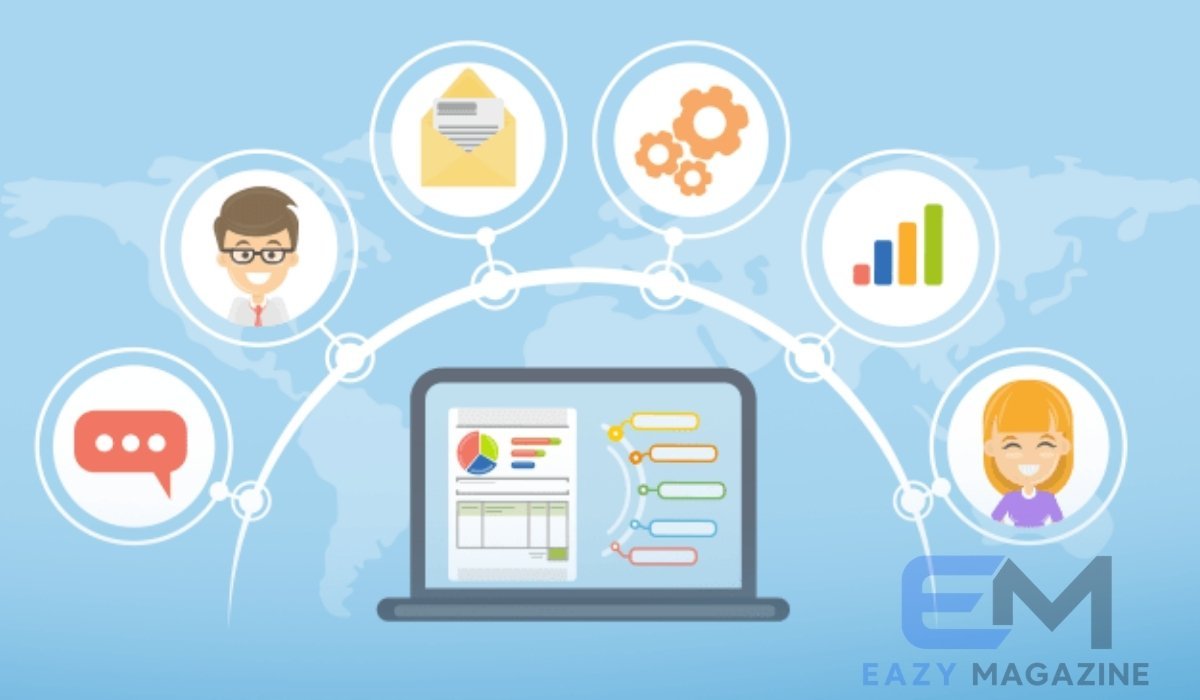
Managing customer relationships without an organized tracking system quickly turns daily operations into a chaotic game of phone tag, buried email threads, and forgotten follow-ups. Every growing venture eventually hits a point where standard spreadsheets fail to capture crucial deal nuances, track customer interactions, or forecast pipeline growth accurately. Selecting the best CRM software for small business success changes this dynamic by transforming disorganized contact lists into structured, revenue-generating engines.
  +-----------------------------------------------------------------------+
  |                          Centralized Data Hub                         |
  |             (Contacts, Interaction History, Support Tickets)          |
  +-----------------------------------+-----------------------------------+
                                      |
                                      v
  +-----------------------------------+-----------------------------------+
  |                       Visual Pipeline Management                      |
  |                (Lead Stages, Deal Tracking, Forecasting)              |
  +-----------------------------------+-----------------------------------+
                                      |
                                      v
  +-----------------------------------+-----------------------------------+
  |                       Automated Workflows                         |
  |             (Email Follow-ups, Task Reminders, AI Scoring)            |
  +-----------------------------------------------------------------------+
Modern customer relationship management tools allow small teams to execute enterprise-grade sales strategies without hiring massive operations departments. Whether your goals involve automating repetitive email tasks, monitoring team performance, or storing customer notes safely in the cloud, adopting the best CRM software for small business operations delivers the clarity required to convert prospects into repeat buyers.
What Is a Small Business CRM and Why Do You Need One?
A small business CRM serves as a single source of truth for every interaction between your brand and your customer base. Unlike complex enterprise systems built for multinational corporations with dedicated software administrators, small business customer relationship management applications emphasize fast setup, intuitive pipeline visuals, and essential automation tools. They store email records, call logs, contract documents, and payment histories within unified customer profiles, ensuring every team member stays informed.
Without dedicated software, valuable prospect details inevitably fall through the cracks during daily business handoffs. Implementing the best CRM software for small business operations systematically eliminates human error, helps salespeople prioritize high-value leads, and provides business owners with clear visibility into real-time operational performance.
Core Benefits of Deploying the Best CRM Software for Small Business Growth
Deploying an effective customer relationship platform fundamentally changes how small teams handle sales, marketing, and client support. By centralizing communication channels into one accessible portal, your business establishes a scalable framework that converts incoming interest into long-term customer loyalty.
- Enhanced Lead Organization: Categorize leads instantly based on engagement levels, geography, deal size, or product interest.
- Automated Sales Sequences: Schedule personalized email follow-ups, meeting reminders, and task assignments automatically.
- Improved Team Collaboration: Share meeting notes, project statuses, and customer preference logs across departments seamlessly.
- Accurate Revenue Forecasting: Track sales funnel progress and estimate quarterly income using real-time deal data.
- Data Security and Backups: Store sensitive client phone numbers, contracts, and interaction records on protected cloud servers.
Key Features to Search for in Small Business Customer Relationship Management Tools
Evaluating sales tools can feel overwhelming due to feature lists packed with technical jargon. Focusing on essential capabilities ensures you choose a platform that supports daily operations without confusing your team.
+--------------------------+-------------------------------------------------------+
| Core CRM Capability      | Key Operational Function                              |
+--------------------------+-------------------------------------------------------+
| Visual Pipeline Tracking | Drag-and-drop deal management across defined stages.   |
| Contact Management       | Unified interaction histories, notes, and profiles.   |
| Workflow Automation      | Automated email alerts, task assignments, and triggers.|
| Communication Sync       | Direct integration with Gmail, Outlook, and VoIP.     |
| Reporting & Analytics    | Real-time tracking of deal status and conversion rates.|
+--------------------------+-------------------------------------------------------+
Prioritizing these essential functions helps avoid paying for overly complex features that slow down daily adoption. The best CRM software for small business teams delivers a clean user interface alongside reliable backend tools.
Top Platforms Compared: Finding the Best CRM Software for Small Business Success
Selecting the right CRM platform depends heavily on your budget, team size, sales complexity, and growth goals. Below is a detailed breakdown of the industry’s leading software options designed specifically for small business operations.
Zoho CRM: Best for Affordable Customization and Scalability
Zoho CRM remains a top choice for budget-conscious companies seeking enterprise-grade features without high cost barriers. Starting with a free tier for up to 3 users, its paid plans offer deep customization options, workflow rules, and AI assistance through its assistant, Zia.
  [Zoho CRM Architecture]
  ├── Core Layer: Contact Management & Drag-and-Drop Pipelines
  ├── Automation Layer: Custom Workflow Rules & Email Triggers
  ├── Intelligence Layer: Zia AI Lead Scoring & Predictions
  └── Ecosystem Layer: Direct Sync with Zoho Books, Desk & Campaigns
It integrates smoothly across the broader Zoho Ecosystem, including accounting and support apps. While the dense interface requires a short learning curve, its strong feature set makes it an outstanding long-term option.
HubSpot CRM: Best Choice for Ease of Use and Marketing Integration
HubSpot CRM sets the industry benchmark for user-friendly design and rapid team adoption. Its free tier supports unlimited users and essential contact management tools, making it ideal for lean startups.
  [HubSpot Growth Track]
  Free Tier (Unlimited Users, Basic Pipeline)
      │
      ▼
  Starter Plan ($7–$20/month, Removes Branding)
      │
      ▼
  Professional Hubs ($90/seat, Advanced Automation)
The platform seamlessly connects sales activity with marketing campaigns, automated live chat tools, and content tracking. While upgrading to paid HubSpot Hubs can get expensive as contact databases grow, its introductory tools offer incredible value.
Pipedrive: Best Visual Pipeline Platform for Dedicated Sales Teams
Built by experienced sales professionals, Pipedrive focuses on activity-based selling and visual pipeline tracking. Its intuitive drag-and-drop interface gives salespeople a clear, real-time overview of every active deal’s status.
  +--------------+     +--------------+     +--------------+     +--------------+
  |  Lead In     | --> | Contacted    | --> | Proposal     | --> | Closed/Won   |
  |  (12 Deals)  |     | (8 Deals)    |     | (4 Deals)    |     | (15 Deals)   |
  +--------------+     +--------------+     +--------------+     +--------------+
While it lacks a permanent free plan, Pipedrive offers a 14-day free trial and affordable tier options. Custom sales stages, automated task reminders, and email sync capabilities make it a strong choice for deal-focused sales teams.
Freshsales: Best Integrated Solution for Multi-Channel Outreach
Freshsales, developed by Freshworks, provides built-in communication tools including phone, live chat, and email integration directly inside the platform. This saves small teams from purchasing separate third-party phone systems or web messaging apps.
  +-----------------------------------------------------------------+
  |                       Freshsales Core Hub                       |
  +-----------------------------------------------------------------+
  |  [Built-In Phone]    |   [Live Web Chat]   |  [Email Sequences] |
  +-----------------------------------------------------------------+
                                    │
                                    ▼
  +-----------------------------------------------------------------+
  |             Freddy AI (Smart Lead Scoring & Insights)           |
  +-----------------------------------------------------------------+
The platform includes AI-powered lead scoring (Freddy AI) to help reps prioritize hot prospects instantly. Freshsales offers an affordable free plan alongside flexible paid tiers for growing outreach teams.
monday sales CRM: Best Flexible Work OS for Operational Teams
monday sales CRM excels for businesses that prefer customizable tabular interfaces over traditional CRM structures. Built on the flexible monday.com Work OS, it allows teams to manage client pipelines, project deliverables, and post-sale account onboarding in one shared workspace.
  +-------------------------------------------------------------------------+
  |                      monday.com Unified Workspace                       |
  +------------------------------------+------------------------------------+
  |      Sales Pipeline Boards         |     Post-Sale Onboarding Boards   |
  |   (Leads, Deals, Accounts)         |   (Tasks, Deliverables, Invoices)  |
  +------------------------------------+------------------------------------+
With drag-and-drop columns, email sync, and automated status alerts, it provides an adaptable workspace for service agencies and project-based small businesses.
Side-by-Side Comparison: Evaluating the Best CRM Software for Small Business Needs
+---------------+------------------------+-------------------+-----------------------------------+
| Platform      | Entry Price (Per Seat) | Free Tier Access  | Ideal Business Type               |
+---------------+------------------------+-------------------+-----------------------------------+
| Zoho CRM      | $14/month (Annual)     | Up to 3 Users     | Budget-Conscious & Customization  |
| HubSpot CRM   | $7–$20/month           | Generous Free Tier| Marketing-Driven Sales Teams      |
| Pipedrive     | $14/month (Annual)     | 14-Day Free Trial | Sales Reps & Visual Pipeline Teams|
| Freshsales    | $9–$15/month           | Up to 3 Users     | Outbound Calling & Live Chat Reps |
| monday CRM    | $12/month (Annual)     | Limited Free Version| Teams Managing Sales + Operations|
+---------------+------------------------+-------------------+-----------------------------------+
Comparing these key criteria ensures your team balances feature requirements against expected software costs. The best CRM software for small business operations should align with your specific budget, sales processes, and team capacity.
Understanding CRM Costs, Pricing Models, and Hidden Fees
Evaluating CRM costs requires looking beyond headline pricing. Most platforms charge on a per-user, per-month subscription model, usually ranging between $10 and $50 per seat for standard small business plans.
  Typical Monthly CRM Budget Distribution:

  [Base User Licenses]     ===========================> 65%
  [Third-Party Add-Ons]    =======> 15%
  [Data & Storage Caps]    =====> 10%
  [Onboarding & Support]   ====> 10%
Be aware of hidden costs like premium onboarding fees, storage caps, and paid add-ons for email automation or call credits. Factoring in these extras helps keep your total software budget predictable as your business grows.
How to Choose the Best CRM Software for Your Specific Small Business
Selecting the ideal software starts with evaluating your unique operational model rather than simply picking the most popular brand name.
           [Assess Internal Business Processes & Sales Pipeline]
                                    │
                                    ▼
            [Identify Must-Have Integrations (Email, Billing)]
                                    │
                                    ▼
            [Calculate Total Cost per Seat Including Hidden Fees]
                                    │
                                    ▼
            [Test Real-World Usability via 14-Day Free Trials]
- Identify Core Bottlenecks: Determine whether you need help capturing inbound leads, automating follow-ups, or organizing client communication.
- Review Essential Integrations: Ensure the software connects with your existing tools, such as Gmail, Outlook, QuickBooks, or Zapier.
- Test Platform Usability: Involve your sales reps in 14-day free trials to ensure the interface is intuitive and easy to use.
- Plan for Scalability: Choose a platform with flexible plan tiers so you can easily upgrade as your team expands.
Step-by-Step Guide: Implementing Your Small Business CRM Successfully
Implementing new software requires careful planning to ensure smooth onboarding and high team adoption.
  +-----------------------------------------------------------------------+
  | Step 1: Clean and Standardize Contact Lists                          |
  +-----------------------------------------------------------------------+
                                      │
                                      ▼
  +-----------------------------------------------------------------------+
  | Step 2: Define Clear Pipelines and Deal Stages                        |
  +-----------------------------------------------------------------------+
                                      │
                                      ▼
  +-----------------------------------------------------------------------+
  | Step 3: Connect Essential Tools (Email, Calendar, Phone)              |
  +-----------------------------------------------------------------------+
                                      │
                                      ▼
  +-----------------------------------------------------------------------+
  | Step 4: Build Basic Automated Workflows and Alerts                    |
  +-----------------------------------------------------------------------+
                                      │
                                      ▼
  +-----------------------------------------------------------------------+
  | Step 5: Train Your Team and Review Weekly Analytics                   |
  +-----------------------------------------------------------------------+
Following a structured rollout prevents team frustration and ensures your contact records stay organized. Consistency during early setup is critical to getting the most out of your CRM investment.
Common CRM Adoption Pitfalls and How Small Businesses Can Avoid Them
Even high-quality CRM tools can fail to deliver results if they aren’t implemented correctly. Knowing common setup mistakes helps protect your software investment.
  Common CRM Pitfalls & Effective Solutions:

  [Over-Complicating Setup] ----> Start with 4-5 simple pipeline stages.
  [Inconsistent Data Entry] ----> Enforce mandatory fields for contact creation.
  [Ignoring Staff Training] ----> Host short, hands-on training sessions weekly.
  [Neglecting Mobile Apps] ----> Ensure field reps use iOS/Android CRM apps.
Keeping processes simple from day one builds team confidence and ensures consistent software usage. Software only delivers value when your team logs updates regularly.
Measuring CRM ROI: Key Metrics Every Small Business Owner Should Track
Tracking key metrics helps verify whether your CRM investment is paying off through higher productivity and revenue growth.
+--------------------------+-------------------------------------------------------+
| Metrics Category         | Key Metric to Track                                   |
+--------------------------+-------------------------------------------------------+
| Lead Conversion Rate     | Percentage of incoming leads converted into sales.    |
| Average Sales Cycle      | Time taken to move a prospect from lead to closed deal.|
| Customer Acquisition Cost| Total sales and marketing spend divided by new clients|
| Customer Lifetime Value  | Average total revenue generated by a single account.  |
| Team Activity Log        | Calls logged, emails sent, and tasks completed per rep.|
+--------------------------+-------------------------------------------------------+
Reviewing these metrics monthly allows you to refine sales strategies and ensure your platform yields a strong return on investment.
Future CRM Trends: Artificial Intelligence and Automation for Small Teams
Emerging technologies are making enterprise-grade automation accessible to small businesses. Features that used to require dedicated data teams are now standard options in modern platforms.
- Predictive Lead Scoring: AI models analyze customer behavior to highlight prospects most likely to convert.
- Generative Email Drafts: Built-in AI assistants create personalized sales follow-ups in seconds.
- Automated Voice Logging: Smart phone integrations automatically transcribe call recordings into structured meeting summaries.
- Proactive Churn Alerts: Predictive algorithms flag accounts with declining activity before you lose their business.
Final Verdict: Selecting the Best CRM Software for Small Business Growth
Choosing the best CRM software for small business success depends on identifying your primary operational goals. Companies looking for an intuitive platform with strong marketing features will appreciate HubSpot CRM. Organizations that need affordable customization, automated workflows, and scaling options will find high value in Zoho CRM. Teams focused purely on visual sales pipelines should explore Pipedrive.
Taking advantage of free plans and 14-day trials allows your sales reps to test real-world usability before committing long term. Establishing an organized system today creates a clear path for sustainable revenue growth.
Frequently Asked Questions (FAQs)
What is the best CRM software for a small business on a tight budget?
Zoho CRM and HubSpot CRM offer excellent options for budget-conscious businesses. Zoho provides a feature-rich free plan for up to 3 users alongside low-cost paid tiers. HubSpot supplies generous free introductory tools with unlimited user access.
How much does the best CRM software for small business typically cost?
Small business pricing generally spans $10 to $50 per user, per month for standard paid plans. Costs depend on feature tiers, automation capabilities, data limits, and optional add-ons.
Can a small business use a free CRM platform long term?
Yes, micro-teams and solopreneurs can use free versions of HubSpot, Zoho CRM, or Freshsales indefinitely. However, growing businesses usually upgrade to paid tiers to access advanced workflow automation, higher contact limits, and custom reporting tools.
How long does it take to implement CRM software for a small team?
Basic setup for tools like Pipedrive or HubSpot takes only 1 to 3 days. Full team training, custom workflow setup, and data migration usually take 2 to 4 weeks.
Do small businesses really need a CRM instead of basic spreadsheets?
Yes. Spreadsheets require manual data entry, lack automated follow-ups, and cannot sync directly with email platforms or phone systems. A dedicated CRM saves time, prevents missed leads, and protects customer data centrally.
Is IT expertise required to maintain small business CRM software?
No. Modern cloud platforms like monday sales CRM, Freshsales, and HubSpot are built for non-technical users. They feature visual drag-and-drop interfaces that allow business owners to adjust workflows without coding knowledge.
